Checks Walks Manager
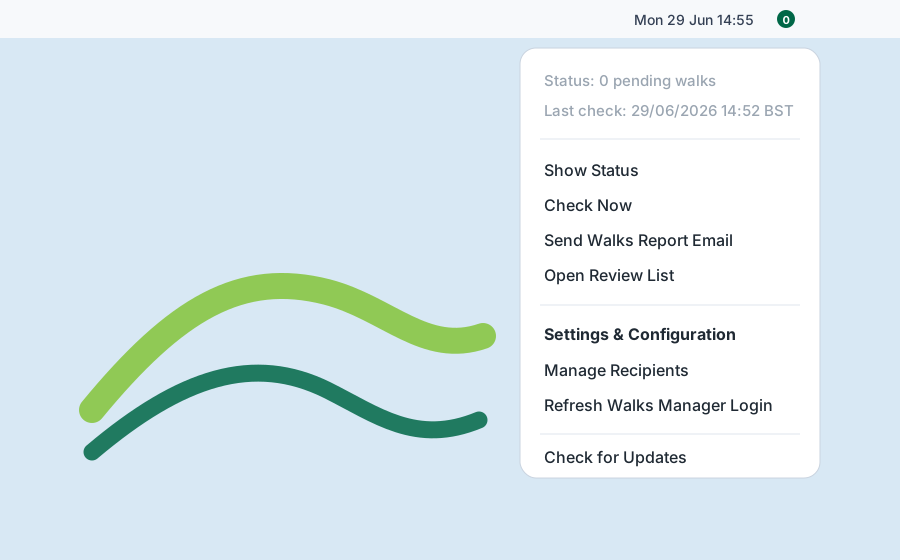
Runs scheduled checks against the configured Walks Manager group and keeps the pending count visible in the menu bar.
macOS menu bar app for Walks Manager
Monitor Ramblers Walks Manager review queues, receive email notifications, and keep pending walks visible from the macOS menu bar.
Checking the latest GitHub release...
The page adapts the instructions to your operating system.
Walks Manager Watch is currently packaged for Apple silicon Macs. Windows and Linux builds are not published yet.
A small desktop tool built for group walk approvals.
Runs scheduled checks against the configured Walks Manager group and keeps the pending count visible in the menu bar.
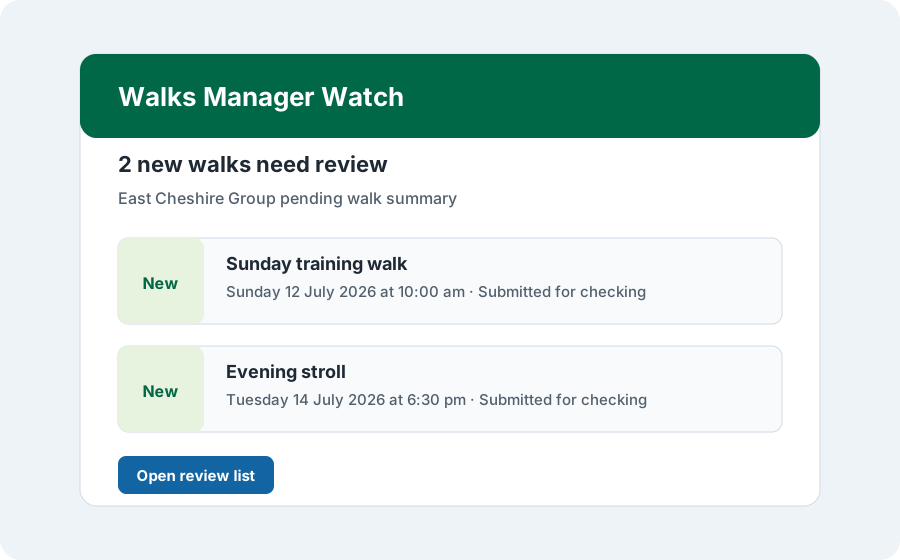
Notifies configured recipients when new or changed walks need attention, with HTML email summaries and direct links.
Stores SMTP settings, recipients, branding, group selection, and the Walks Manager browser session on the Mac.
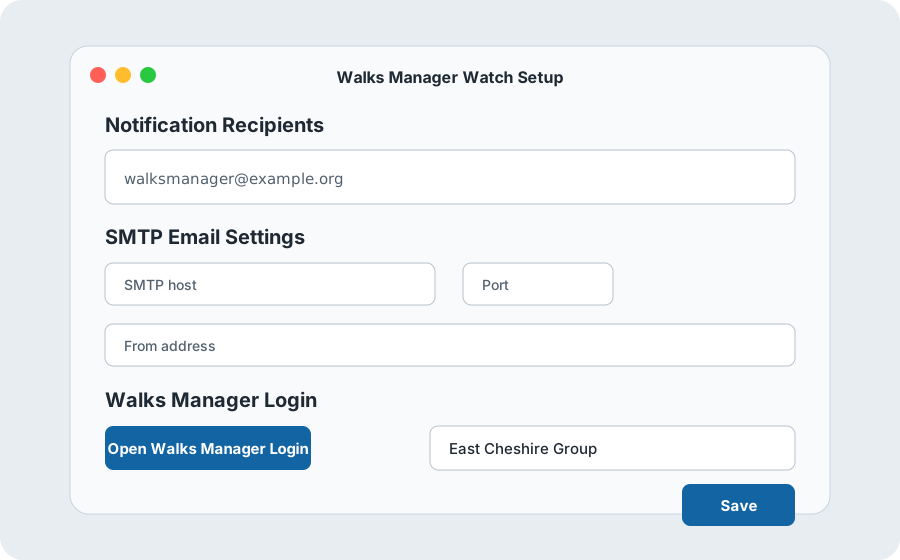
The first launch collects the details needed for background checks and email notifications.
Enter one or more email addresses for walk review notifications.
Add host, port, username, password, from address, and display name.
Open the Walks Manager login window, sign in, and let the app detect available groups.
Choose the group to monitor, then save setup and run the first check.
Setup, menu status, and email notifications.